
EPUB Ghost Spacing & OPF Errors: How to Fix Them
If your EPUB looks perfect in every previewer but still gets rejected - or worse, publishes with broken formatting on certain devices - ghost spacing and OPF errors are usually the cause.
These two problems are invisible. You won't see them in Word, Calibre, or even the KDP previewer. But they're sitting inside your file, and stricter platforms like Apple Books and Google Play Books will reject you because of them.
Here's what they are and how to fix both.
What Is Ghost Spacing in an EPUB?
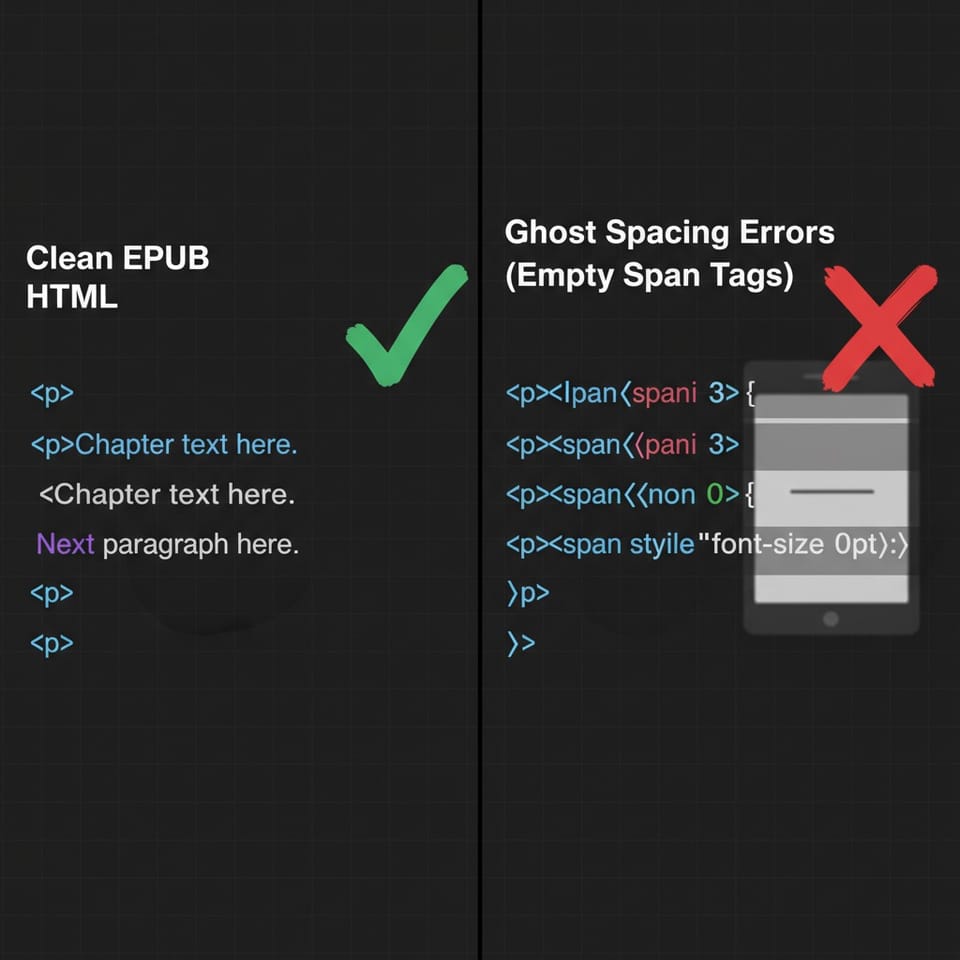
Ghost spacing is what happens when automated converters - Calibre, Google Docs export, Word's Save as HTML - try to preserve your original formatting by adding thousands of empty HTML tags.
So instead of clean paragraph spacing, your EPUB ends up with code that looks like this buried in every chapter:
<p><span> </span></p>
<p><span> </span></p>
<p><span style="font-size: 0pt;"> </span></p>
None of this is visible to readers. But it causes real problems:
- Chapters merge together on older e-ink Kindles
- Custom fonts vanish mid-chapter on some devices
- Paragraph spacing becomes random and unpredictable
- File size bloats unnecessarily
The KDP previewer masks most of this. Apple Books does not.
What Is an OPF Manifest Error?
Every EPUB contains a file called content.opf. This is the master index of your book - it lists every file inside the EPUB, what order chapters appear in, and metadata like title, author, and language.
An OPF manifest error means something in that index is wrong. Common causes:
- A file exists in the EPUB folder but isn't listed in the manifest
- A file is listed in the manifest but doesn't actually exist
- The spine order (chapter sequence) is incorrect or incomplete
- Required metadata fields like language or unique identifier are missing
Calibre and most converters generate OPF files automatically. But they make mistakes — especially when you're converting from a heavily formatted Word document or editing the EPUB manually after conversion.
KDP is forgiving about some OPF errors. Apple Books and Google Play Books are not. This is why you'll sometimes see a file accepted on one platform and rejected on another with no clear explanation.
How to Find Ghost Spacing
You need to open your EPUB and look at the raw HTML.
Step 1: Rename your .epub file to .zip and extract it.
Step 2: Open any chapter HTML file (usually in the OEBPS or Text folder) in a text editor.
Step 3: Search for <span> </span> or style="font-size: 0 — these are the most common ghost spacing signatures.
If you find hundreds of them, that's your problem.
Step 4: The cleanest fix is to go back to your original DOCX, strip all manual spacing (no tab indents, no spacebar alignment, no empty lines between paragraphs), and reconvert. Use paragraph styles for all spacing instead.
If you don't have the original, you can use a tool like Sigil to do a find-and-replace on the raw HTML - but this is slow and error-prone on long books.
How to Find OPF Errors
The fastest way is EPUB Check - the same validator KDP and Apple Books use internally.
Option 1 - Online: Go to draft2digital.com/book/epubcheck/upload and upload your file. It'll return exact error codes.
Option 2 - Manual: Extract your EPUB (rename to .zip), open content.opf in a text editor, and check:
- Every file in your
OEBPSfolder should appear in the<manifest>section - Every chapter should appear in the
<spine>section in the correct order - The
<metadata>section should includedc:title,dc:language, anddc:identifier
A typical OPF manifest error looks like this in EPUB Check output:
ERROR: content.opf(45,18): item 'chapter05.xhtml' exists in the EPUB
but is not declared in the manifest
That tells you exactly which file and which line to fix.
The Right Order to Fix Both
If you have both problems, fix them in this order:
- Clean ghost spacing first - this often requires reconverting from DOCX
- Revalidate with EPUB Check after reconversion - new OPF errors sometimes appear
- Fix OPF manifest errors manually in
content.opf - Revalidate one final time before uploading
Don't upload until EPUB Check returns zero errors. A file that looks fine can still fail Apple Books validation with a single missing manifest entry.
Why Simple Converters Miss This
Tools like Calibre and Google Docs do a good job on simple manuscripts. But they were built for conversion speed, not EPUB quality assurance.
Ghost spacing accumulates from your source document's formatting history. OPF errors come from post-conversion edits or complex chapter structures. Neither problem shows up visually - they only show up when a strict validator or a real device reads the file.
That's why authors end up in a loop: file looks fine, previewer shows no issues, KDP accepts it, Apple Books rejects it, no explanation given.
The fix is always the same. Validate the raw file before you submit it anywhere.
Before You Upload to Any Store
Run through this checklist:
- ✓ EPUBCheck returns zero errors
- ✓ No empty
<span>tags in chapter HTML - ✓ Every file listed in
content.opfmanifest actually exists - ✓ Spine order matches your chapter sequence
- ✓ Metadata includes title, language, and unique identifier
- ✓ Tested on at least one real e-ink device or Kindle Previewer
If you're hitting repeated rejections and can't find the source, paste the EPUB Check error code and email us at hello@bookkraftai.com - happy to help decode it.
Member discussion